


Download Clean Writer Pro – Minimalist Writing App, Focused Distraction‑Free Editor
Overview & Core Concept
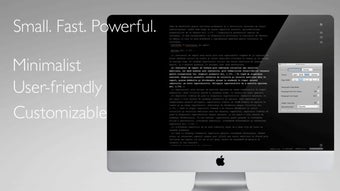
Clean Writer Pro positions itself as a breath of fresh air for writers who crave a clutter‑free workspace. In an era where most word processors are packed with ribbons, sidebars, and endless formatting options, Clean Writer Pro strips everything back to the essentials: a clean, white canvas and a handful of intuitive editing tools. The app’s primary promise is to let you “write on a blank slate and make something more,” which it delivers by fading previous paragraphs as you type, keeping the current line in sharp focus while older text subtly recedes.
This visual cue helps maintain momentum and reduces the temptation to constantly edit earlier sections, a habit that often disrupts creative flow. The interface is deliberately sparse. There is no intrusive menu bar; instead, basic commands like backspace, undo, and simple formatting are accessed via keyboard shortcuts or a minimalist toolbar that appears only when needed.
While the fading feature is a standout, it does have quirks—occasionally the first line of a new paragraph can disappear for a split second, and some menu items may vanish temporarily. Nevertheless, these hiccups are outweighed by the overall sense of calm that the app provides, especially for novelists, journalists, and anyone who writes for long periods without wanting to be distracted by UI clutter. Clean Writer Pro also supports a lightweight file format that saves your work automatically, ensuring you never lose a paragraph to a crash.
The app is designed to be fast, launching in under two seconds on most machines, and it stays responsive even with large documents. Whether you are drafting a short blog post or a multi‑chapter manuscript, Clean Writer Pro aims to keep the focus squarely on your words, not on toolbars or pop‑ups.
Key Features That Set Clean Writer Pro Apart
- Dynamic Paragraph Fading: As you type, previous paragraphs gently fade, keeping the current line prominent and reducing visual overload.
- Minimalist Toolbar: Only essential tools appear on demand, eliminating the need to navigate through dense menus.
- Auto‑Save & Versioning: The app saves your work every few seconds and retains a history of recent versions, safeguarding against data loss.
- Keyboard‑Centric Controls: Full editing can be performed via intuitive shortcuts, catering to power users who prefer typing over clicking.
- Cross‑Platform Support: Available for Windows, macOS, Linux, Android, and iOS, ensuring a seamless experience across devices.
- Lightweight File Format: Documents are stored in a proprietary .cwp format that is both compact and easy to import/export to common formats like .txt and .docx.
- Dark Mode & Custom Themes: Switch between light, dark, and custom color schemes to match your preferred working environment.
- Focus Mode Timer: Built‑in Pomodoro‑style timer helps you maintain productive writing bursts while the app subtly dims distractions.
- Secure Cloud Sync (Optional): Optional integration with popular cloud services for encrypted, real‑time backup.
- Extensible Plugin System: Developers can create lightweight plugins to add functionality without breaking the minimalist ethos.
Each of these features is designed to reinforce the core philosophy of Clean Writer Pro: to provide a distraction‑free environment while still offering the basic tools a writer needs. The fading effect, while visually striking, is also functional—it signals the end of a thought block and encourages you to move forward. The auto‑save and versioning system means you can experiment boldly without fearing irreversible mistakes. And because the app is available on every major operating system, you can keep your writing flow consistent whether you’re at a desktop workstation or on a mobile tablet.
Installation, Setup, and Daily Usage
Step‑by‑Step Installation
Installing Clean Writer Pro is straightforward. Visit the official website and click the “Download” button that corresponds to your operating system. For Windows, you’ll receive a .exe installer; macOS users get a .dmg file; Linux distributions provide a .deb or .AppImage; Android and iOS users can download the app directly from Google Play or the App Store. After the download completes, run the installer and follow the on‑screen prompts. The installer checks for required dependencies (such as the .NET runtime on Windows) and installs them automatically if missing.
First‑Run Configuration
Upon launching Clean Writer Pro for the first time, you’ll be greeted with a brief onboarding wizard. The wizard asks three simple questions: preferred theme (light or dark), default auto‑save interval (5 seconds, 15 seconds, or custom), and whether you want to enable optional cloud sync. You can skip the wizard and adjust these settings later via the hidden Settings pane (accessed by pressing Ctrl+Shift+S or tapping the three‑dot icon on mobile).
Daily Workflow Tips
The daily workflow revolves around the minimalist interface. Begin a new document by pressing Ctrl+N (or tapping the “+” icon on mobile). As you type, notice how each completed paragraph fades a shade lighter.
If you need to edit earlier text, simply move the cursor back; the faded text becomes fully opaque again, allowing you to make corrections. Use Ctrl+Z for undo, Ctrl+Y for redo, and Ctrl+B to toggle bold on selected words. For larger formatting needs, open the temporary toolbar with Ctrl+T, where you’ll find options for headings, bullet lists, and block quotes.
The built‑in Focus Mode Timer can be activated with Ctrl+Alt+F. Set a 25‑minute writing sprint; the timer will dim the surrounding UI, reinforcing concentration. When the timer ends, a gentle chime alerts you, and the app briefly displays a summary of words written during that session. This feature is especially useful for writers who practice Pomodoro techniques or who need to track productivity over time.
Compatibility, System Requirements, and Pros & Cons
Supported Operating Systems: Windows 10/11, macOS 12 Monterey and later, major Linux distributions (Ubuntu, Fedora, Debian), Android 8.0+ and iOS 13+.Clean Writer Pro runs efficiently on modest hardware. Minimum requirements include a 1 GHz processor, 2 GB RAM, and 200 MB of free disk space. Because the app is built with a lightweight rendering engine, it remains responsive even on older laptops or tablets. Users on high‑resolution (4K) displays can benefit from the crisp typography and scalable UI, while mobile users enjoy a touch‑optimized layout that preserves the same fading experience.
Pros
- Exceptional focus‑enhancing paragraph fading that reduces visual clutter.
- Ultra‑fast launch times and low memory footprint.
- Comprehensive keyboard shortcuts for a fully hands‑free experience.
- Cross‑platform availability ensures continuity across devices.
- Robust auto‑save and version history protect against data loss.
- Optional secure cloud sync for seamless backup.
- Customizable themes and dark mode for comfortable long‑hour writing sessions.
Cons
- Occasional visual glitch where the first line of a new paragraph may fade too quickly.
- Some advanced formatting options (tables, footnotes) are absent, reflecting the minimalist design.
- Menu items can briefly disappear when switching between toolbar states.
- Plugin ecosystem is still growing, limiting third‑party extensions.
- File export to .docx requires an additional conversion step.
Frequently Asked Questions
Is Clean Writer Pro truly free, or does it require a subscription?
Clean Writer Pro offers a free core version with all essential writing features. A paid “Pro” upgrade is available for $9.99/year, unlocking cloud sync, premium themes, and priority support.
Can I import and export documents in common formats like .docx or .pdf?
Yes. While the native format is .cwp, you can export any document to .txt, .rtf, .docx, or .pdf via the “Export” command in the temporary toolbar.
How does the fading paragraph feature work on low‑end devices?
The fading effect is implemented with lightweight CSS transitions that require minimal GPU usage, so even older laptops and budget tablets handle it smoothly without lag.
Is my data encrypted when I use the optional cloud sync?
All cloud‑synced files are encrypted end‑to‑end using AES‑256 encryption. Your password never leaves your device, ensuring that only you can decrypt the files.
Can I customize the auto‑save interval?
Absolutely. The settings panel lets you choose intervals ranging from 5 seconds to 60 seconds, or you can set a custom value in milliseconds.
Conclusion & Call to Action
Clean Writer Pro delivers on its promise of a truly minimalist writing experience while still providing the safety nets modern writers expect—auto‑save, version history, and secure cloud backup. Its signature fading paragraphs create a visual rhythm that guides you forward, and the lightweight design ensures the app feels instantaneous on any device. Although a few UI quirks remain and advanced formatting options are limited, the trade‑off is a distraction‑free canvas that lets words take center stage.
If you’re tired of battling menus, toolbars, and constant formatting prompts, give Clean Writer Pro a try. The free version offers enough power to start a novel, a research paper, or daily journal entries without paying a dime. For those who need the extra polish of cloud sync and premium themes, the Pro upgrade is modestly priced and worth the investment.
Ready to focus on your writing? USD 0.00 – InStock – click the link above to download Clean Writer Pro now and start writing on a blank slate that truly matters: your ideas.







